










Open a coin on Axiom, click capscan. It reads the wallets behind it, how the supply’s bundled, whether the X account is real and whether the story has been run before, then hands you a cap score out of 10.
Free. No wallet connect, no signup, no extension. It’s just a bookmark.
Install
Slide it up once.
capscan is a bookmarklet. It sits in your bookmarks bar and runs on the page you are already looking at.
- 01
Show your bookmarks bar
Press CtrlShiftB. The bar appears under the address bar. That’s where capscan will live.
- 02
Slide it up, don’t click
Press and hold Get capscan, slide it up to the bar, and let go. Clicking won’t install it. It has to be dragged up.
- 03
Run it on any coin
Open a coin on axiom.trade and click capscan in the bar. The score opens right over the page.
- 01
Press and hold the button
Press and hold Get capscan with one finger until it lifts off the page.
- 02
Add it to Bookmarks
Keep holding, tap Share → Add Bookmark with your other hand, then drop it into Bookmarks.
- 03
Run it on any coin
Open a coin on axiom.trade, open Bookmarks, and tap capscan. The score opens over the page.


 Safari
Once it’s in your bar, capscan rides along to every Axiom tab. You won’t need to come back here.
Try it here
Open a coin.Click capscan.
A real Axiom screen, token names blurred. Open any coin, run capscan, read the score. Click the page to back out.
- 1Click capscan in the bar
- 2Open a coin
- 3Click capscan again
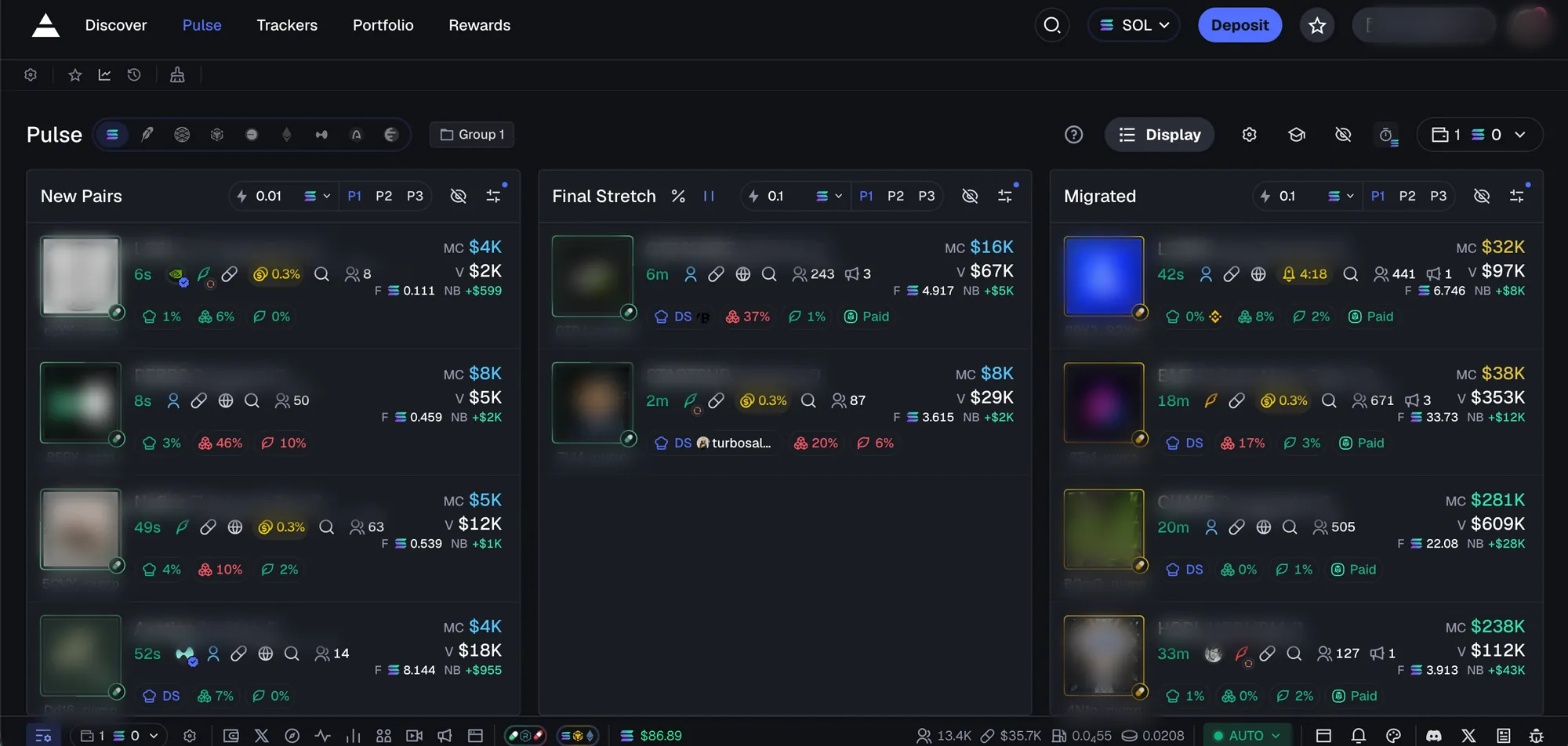
Real Axiom screenshot, token names blurred · results are samples, not a check of any real token · not affiliated with Axiom
Featured by users
Caught a cap?Post it.
Check the coinbefore you ape it.
A bookmarklet. No wallet, no signup, no price calls.